Recommended First
How to Create a Case in VetGeni
Start here. Learn how to set up your first case and begin documenting inside VetGeni.

Published: Jan 31, 2026Duration: 1m38s
Resources
Solutions
Integrations
Login
Training
Step-by-step training for veterinary teams using VetGeni. Start with the core clinical workflow, then go deeper into specific tools like PawText, case management, and client-ready outputs.
Quick Start
Watch these in order if you are onboarding a new doctor, technician, or team member.
Start here. Learn how to set up your first case and begin documenting inside VetGeni.
Capture patient history efficiently and prepare a strong starting point for SOAP generation.

See how VetGeni structures exam details into a cleaner, faster clinical workflow.
Turn visit details into structured veterinary SOAP notes with editable AI-assisted drafting.
Create client-ready discharge instructions that are easier to review, edit, and send.
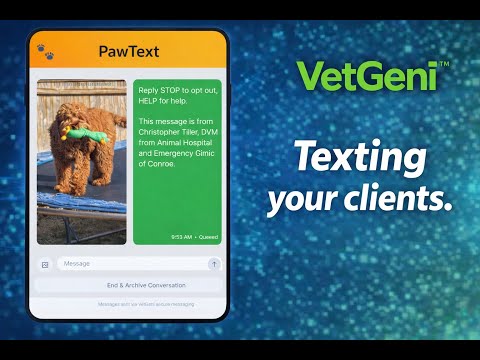
Send pet owner updates from your dashboard with PawText and keep communication tied to the clinical workflow.
Customize clinic-facing document settings so your outputs match your workflow and standards.
Workflow Library
Use these to train on mobile workflows, case management, summaries, and client-facing features.
A fast introduction to the core VetGeni workflow for new users who want the big picture first.

Use VetGeni on mobile for documentation, review, and quick access across the clinic day.

See how recorded or written notes turn into structured SOAP drafts inside VetGeni.

Learn how to organize case records, review clinical work, and keep patient documentation moving.
Quickly condense histories and notes into cleaner summaries for downstream documentation.

See how pet owners can access visit summaries and discharge information through the portal.

Updates
Older update videos stay here so the main onboarding flow remains clean and focused.
Review a snapshot of recent product updates and feature improvements inside VetGeni.